See movement become intelligence.
Select the prepared clip, bring your own footage or record a short walk, and explore how movement becomes intelligence — stage by stage, in both product families.
- 24
- Modules on this pipeline
- 13
- Capabilities
- 15
- Movement signals
- Local
- Video processing
The browser analyzer runs a pose model on the clip you choose and reports measured landmark and motion signals. The guided walkthroughs use example values and carry an Illustrative Demo label. Neither provides a clinical assessment or demonstrates validation of a GaitAI product.
- Pose
- Signals
- Features
- Intelligence modules
Pipeline · 24 modules
Watch a pose model take a clip apart.
Start with the prepared demo, bring your own video, or record a short walk — a real pose model runs on it in your browser, finding 33 body landmarks per sampled instant, joint trajectories, the body's path through the frame, and the temporal channels that make up its Motion DNA. Your video stays in this browser tab.
Experience Movement Intelligence
Start instantly with a prepared demo clip, use your own video, or record a short walk. All three run the same pipeline in this tab.
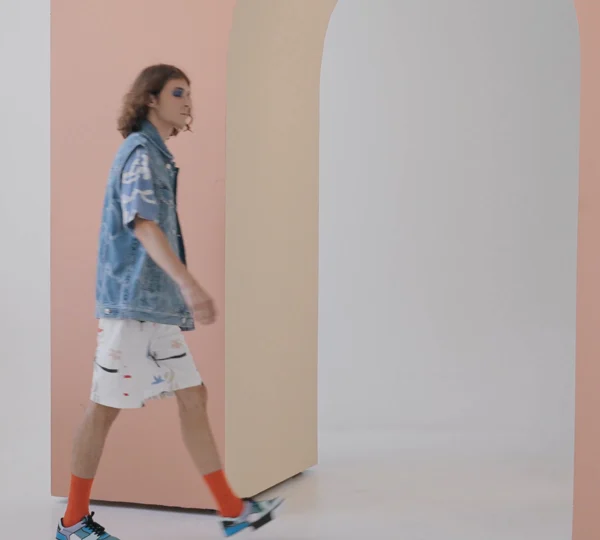
Walking analysis demo
Recorded studio walk by SHVETS production / Pexels, used under the Pexels licence. No product endorsement or validation evidence. This brief sample demonstrates source-aligned pose extraction; it cannot establish cadence or symmetry. Analysed locally by the same pipeline as uploaded footage.
Built-in demo · local analysis This sample is analysed in your browser by the same local pipeline as your own clip. Nothing is uploaded.
Best resultsOne person · whole body visible · camera held still · 5–20 seconds
Movement X-Ray — explore the representation, stage by stage
Switch the view
A recorded demonstration walking sequence with the same person, clothes, camera and environment. Not a patient or surveillance recording.
What one capture source actually becomes.
Change the input and the chain below recomputes: the signals read from it, the capabilities that process them, the modules built on those capabilities and what they produce.
Choose a capture source to trace
Walking video → 10 signals → 5 capabilities → 11 modules → 54 outputs
Every step is a documented relationship: a module appears under a signal or a capability because its own record names it. Select a signal or a capability to narrow the chain to what that relationship reaches.
A missing input is a known unknown. A corrupted one is not.
Set each input to available, missing or corrupted, and watch what happens to the channels. Break one and the read-out gets shorter. Corrupt one instead and it stays exactly the same size — which is the point.
Change any input to see how fusion responds.
All four channels are available to fusion.
All inputs healthy
Every channel has at least one healthy contributor. This is the state every fusion diagram shows, and the one that teaches least — switch an input to Missing, then to Corrupted, and compare what happens to the read-out.
- 11
- Derivable
- 00
- Contaminated
- 00
- Unverifiable
- 00
- Not derivable
- Cadence & rhythmDerivable
- Walking speedDerivable
- Step symmetryDerivable
- Posture markersDerivable
- Balance & postural swayDerivable
- Crowd movementDerivable
- Stride variabilityDerivable
- Neurological movement signalsDerivable
- Mobility declineDerivable
- Trajectory & pathDerivable
- Behaviour patternsDerivable
- Derivable
- At least one healthy input carries this.
- Derived, contaminated
- A healthy input and a corrupted one are both fused into this. A value is produced and nothing marks it.
- Derived, unverifiable
- Only a corrupted input carries this. A value is produced and there is no basis for trusting it.
- Not derivable
- Every input that carries this is missing. Nothing is produced.
An illustrative architecture sandbox. It shows how multi-input reading degrades, not how any specific module is implemented, and it reports no accuracy, benchmark or performance figure — none is published, and a number that improved as you switched inputs on would teach the opposite of the point.
What could GaitAI read from your footage?
Describe what your footage contains. Every module is rated against what its own record says it needs — and the reasons are listed underneath.
Movement understanding → 3 of 24 modules match this footage closely
MobilityCare
- OrthoMotionHigh
- ProstheticFitHigh
- WalkScanHigh
- ClinicalTrialsMedium
- FallRiskMedium
- NeuroMotionMedium
- PediatricMotionMedium
- RehabTrackMedium
- RemoteCareMedium
- SeniorCareMedium
- SportsMotionMedium
- WatchCareLow
SecureVision
- AccessMotionLow
- CampusShieldLow
- CrowdSenseLow
- DefenceMotionLow
- EventShieldLow
- ForensicSearchLow
- IndustrialSafetyLow
- PrivacyGuardLow
- ReIDLow
- RetailGuardLow
- SuspiciousMotionLow
- WatchlistLow
Why?
- Single person detected
- Lower limbs visible
- Pose tracking possible
- Trajectory tracking possible — no
- Walking video from a standard camera
- Movement duration sufficient for a trend — no
Nothing is uploaded and nothing is analysed here. Each rating is a match between what you describe and what a module's own record says it needs — a module rates High when your footage satisfies everything it asks for, and Low when something it names is missing.
- A short walking sequence, captured on request
- Any standard camera — including a phone
- No markers, no treadmill, no lab
- What is recorded, from where, for how long
- Whether the stride is complete enough to segment
- Whether features can be computed at all
Toggles change what the stage draws and which readings are shown. Every reading is illustrative.
Why was this indicator surfaced?
- Cadence variability↑ higher
- Step asymmetry↑ higher
- Longitudinal activity↓ lower
- Postural stability indicator↓ lower
- Screening support
- Clinician review
- Comparison against this person's own earlier assessments
- A prediction that a specific fall will occur
- A diagnosis of any condition
- A substitute for clinical judgement
Directions only. GaitAI outputs are AI-generated movement metrics intended as decision support — the contribution of each factor is not presented as a weight, because this demonstration has no measured model behind it.
An interactive illustration of the documented pipeline, running with example values. It is not a diagnostic tool, not a live system, and none of its readings are product-performance figures.
Explore the Movement Intelligence Lab.
Interactive experiments for exploring how GaitAI interprets movement, signals, privacy, trajectories and multimodal inputs.
These are exploratory interfaces, not product output. Where an experiment shows a reading it is an example value, and the experiment says so at the point it appears.
- Pipeline WalkthroughCapture → pose → signal → intelligenceThe whole pipeline as one staged walkthrough: a clip becomes body landmarks, landmarks become temporal channels, and channels become the features a module reads — in a MobilityCare mode and an privacy-aware SecureVision mode.Illustrative dataOn this page
- GaitScapeExplore the GaitAI ecosystem visuallyInputs, capabilities, product families, modules and the research behind them as one navigable landscape — select any node and the parts of the system it touches light up.Real product and capability records
- Signal InspectorExplore how different inputs become movement featuresChange the capture source and the chain redraws: the signals read from it, the capabilities that process them, the modules built on those capabilities, and what each one produces.Real product and capability recordsOn this page
- Footage CheckSee what GaitAI could read from what you already haveDescribe the footage you have — camera height, distance, crowding, duration — and every module is rated against what its own record says it needs, with the reasons listed.Real product and capability recordsOn this page
- Movement X-RayHuman view / AI view of the same walkSwitch between the body a person sees and the channels a model reads off it — landmarks, ground contact, joint trajectories and temporal traces. Both views draw the same stride data, so it is provably one walk read two ways.Illustrative dataInside MobilityCare and SecureVision
- Privacy LensSensing → privacy transformed → movement intelligenceStep through the three processing stages of the privacy-aware path and see what each one carries forward and what stops being available — one figure, losing information, with the scope of the claim stated on screen.Illustrative dataInside SecureVision
- Fusion SandboxA missing input is a known unknown. A corrupted one is not.Set video, pose, wearable and trajectory to available, missing or corrupted. A missing input makes the read-out shorter; a corrupted one leaves it exactly the same size, which is why it is the more dangerous failure.Real product and capability recordsOn this page
- Mobility Time MachineOne walk is a snapshot. Five is a trajectory.Scrub five illustrative sessions and watch symmetry, cadence and movement variability change — including the interval where one signal stalls while another keeps moving, which is the whole reason a repeated record is read signal by signal.Illustrative dataInside MobilityCare
“Let me experiment with how GaitAI understands movement.”
Interactive tools for understanding and experimenting with GaitAI movement analysis.
- Analyze a clip, in your browser
- GaitAI Atlas
- Pipeline Walkthrough
- GaitScape
- Signal Inspector
- Footage Check
- Movement X-Ray
- Privacy Lens
- Fusion Sandbox
- Mobility Time Machine
“Let me explore GaitAI's gait dataset and gait biometrics research.”
Dedicated gait research assets.
- Gait Dataset
- Gait Biometrics Lab
- Future gait-research experiments
This is the pipeline. The modules are where it gets applied.
See which modules read which signals in an environment like yours, trace the research behind a capability, or walk the whole ecosystem as a map.